
External Users
New users must register for a QLMC account through PPMS. Be prepared to provide your complete physical billing address, a valid email address, and a phone number.
Select “Your institution is NOT UT Southwestern Medical School (or its affiliates)”:
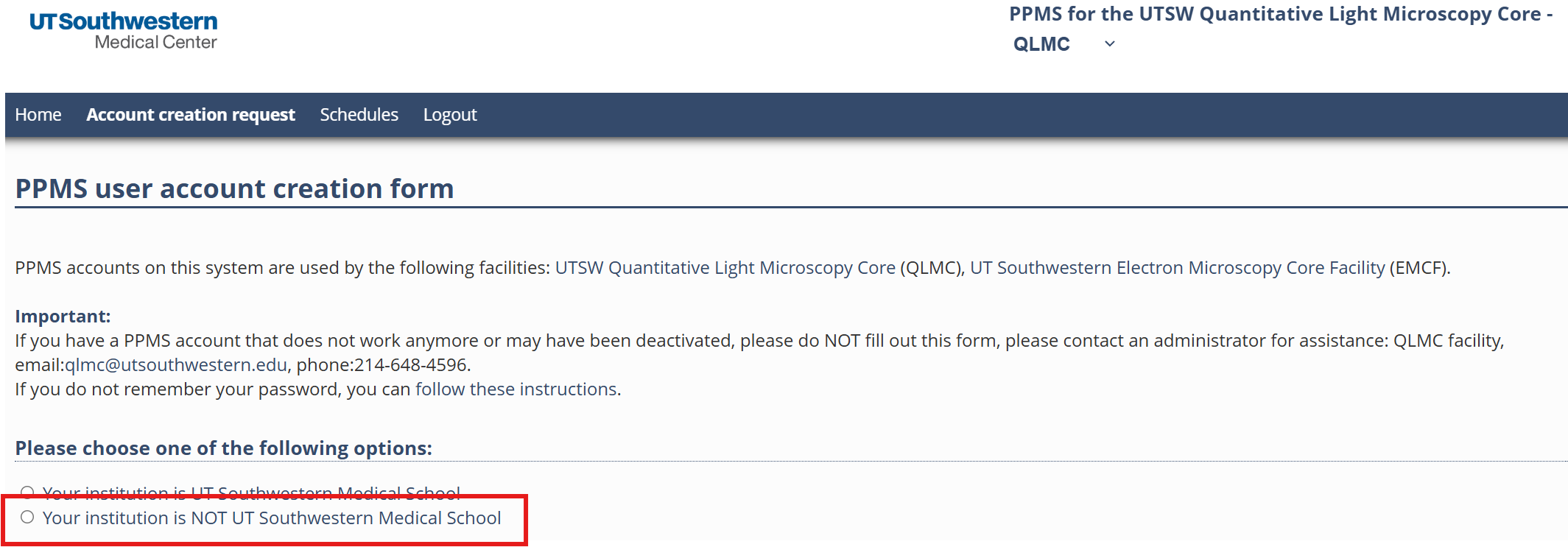
You will be directed to the following account creation page:
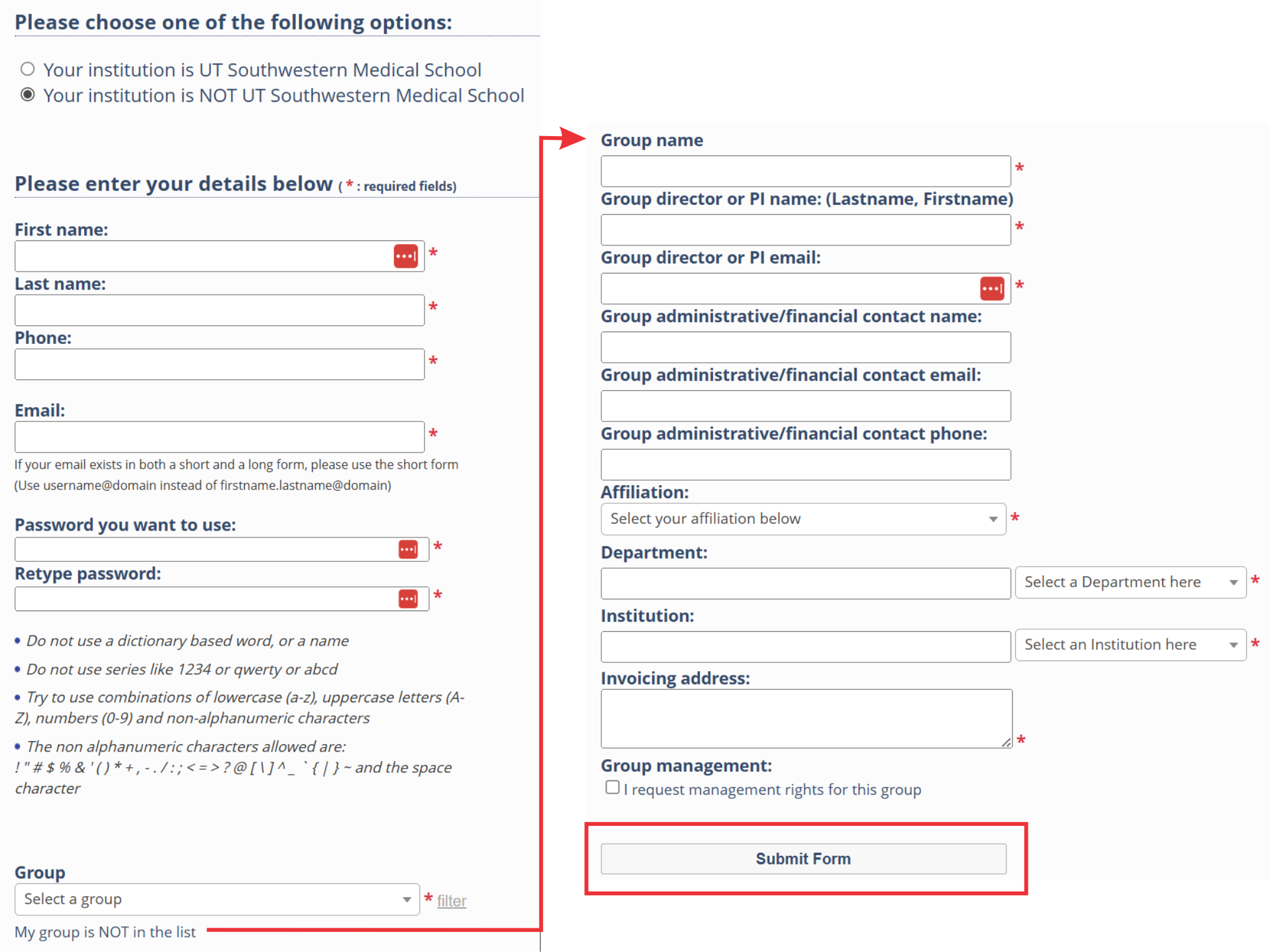
- Required information: Complete all required fields. In PPMS, “Group” refers to your laboratory or research group.
- Group: Select your laboratory from the dropdown menu. If your laboratory is not listed, click “My group is NOT in the list” and follow the instructions to create a new group.
- Group name: Enter your PI’s last name followed by the word “Lab” (for example, Schmid Lab).
- Department and institution: If your department, institution, or company is not listed in the corresponding dropdown menu, enter it manually.
- Click “Submit Form” to submit your account creation request.
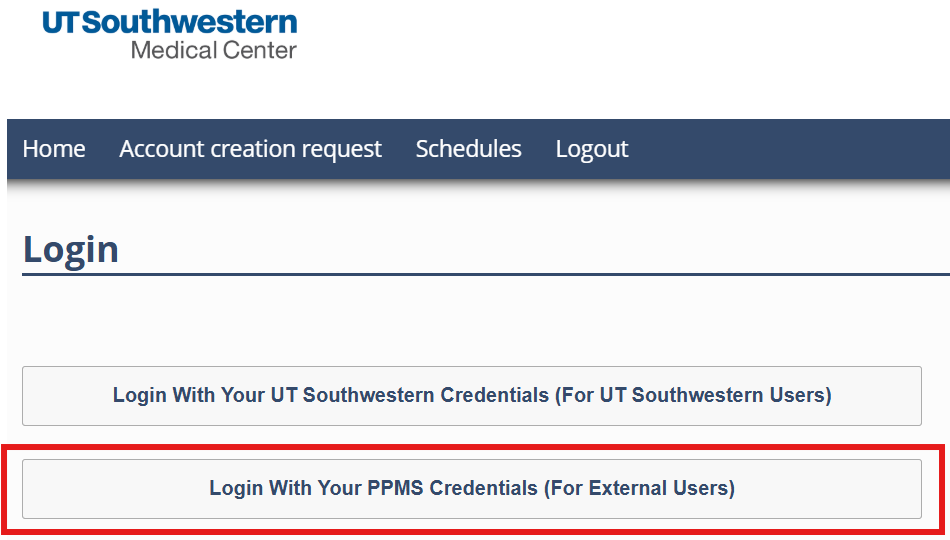
After your account has been validated and approved, go to the PPMS login page and log in with your PPMS username and password:
From your PPMS home page, you can submit a training request or reserve an instrument. You can reserve only instruments on which you have completed the required training.
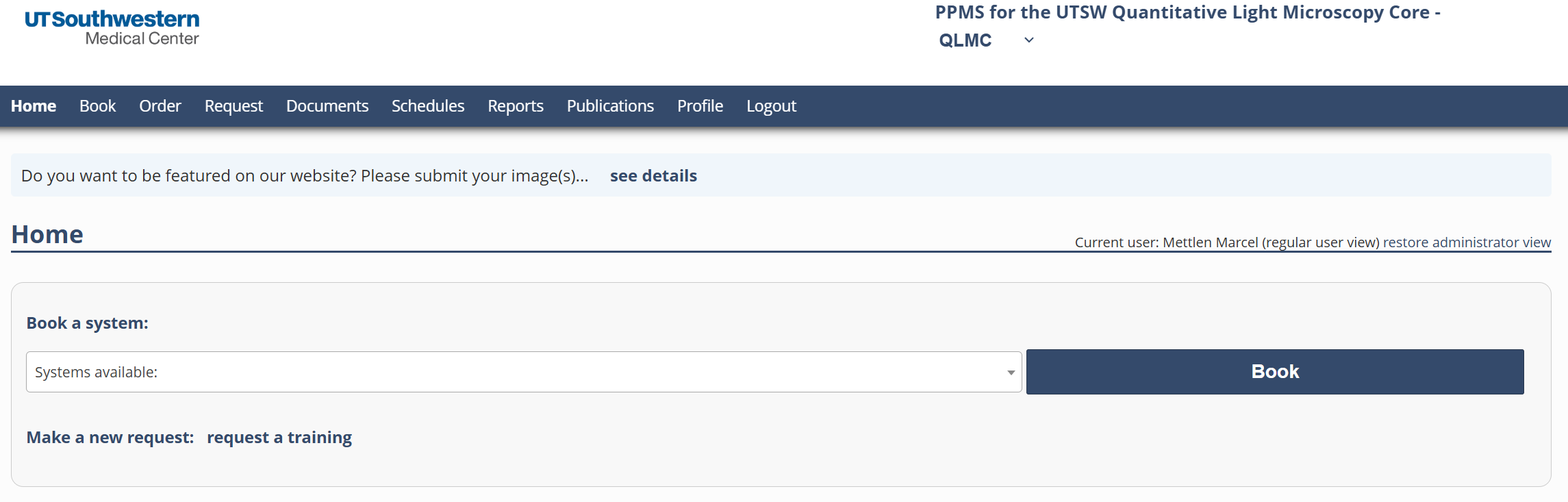
Book time on an instrument
- On your PPMS home page, select an instrument from the “Book a system” dropdown menu or click the “Book” tab. You will be taken to the instrument’s booking calendar for the current week.
- Click and drag on the calendar to select the desired time slot.
- At the bottom of the page, click “Book the Selected Sessions” to complete your reservation.
Submit a training request
- On your PPMS home page, click the “Request” tab.
- Complete either the general training request or the request to image live (non-fixed) BSL-2 pathogens, as applicable.
- Complete the form and click “Submit Request” at the bottom of the page. We will contact you by email with the next steps.